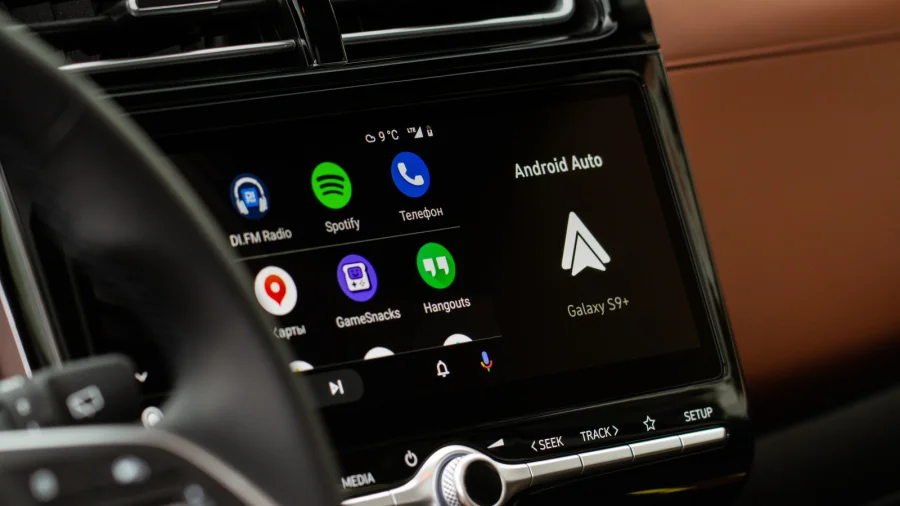

Android Auto comes with an autoplay feature that starts playing audio on its own when you connect your phone to your car. The feature is built to be a convenience — you get in, plug in, and your music or podcast picks up without you touching anything. But for many drivers, this automatic playback is unwanted. If you are one of those people, you can turn it off.
Why Android Auto Auto-Plays Audio
Autoplay is designed to make your drive smoother. Instead of opening an app and pressing play every time you get in the car, Android Auto does it for you. The idea is that you can get on the road faster without fumbling with your phone.
But convenience is not the same as control. If you like to choose your own music, prefer silence on short trips, or just do not want your last podcast episode blasting the moment you start the engine, autoplay can quickly become a nuisance.
How to Turn Off Autoplay on Android Auto
The good news is that Android Auto lets you switch autoplay off. The setting lives inside the Android Auto settings on your phone, where you can manage how the app behaves when it connects to your car. Once you disable autoplay, your audio will stay paused until you choose to start it yourself.
To put it plainly: you do not have to live with autoplay. It is a setting, not a fixed rule, and changing it takes only a moment. After that, your car connection will no longer trigger playback on its own.
What Changes When You Disable Autoplay
Turning off autoplay does not remove any of your apps or your ability to play audio through Android Auto. It simply stops the system from starting playback automatically. You keep full control — you decide when the music starts and when it stops.
- Your audio will no longer start on its own when you connect to your car
- You can still play music, podcasts, and other audio manually
- Your apps and playlists stay exactly as they are
Our Take: Convenience Should Not Mean Losing Control
In our view, autoplay is one of those features that sounds helpful on paper but frustrates plenty of drivers in practice. Not every trip needs a soundtrack, and not every driver wants their last played track to jump back on the moment they turn the key. The fact that Android Auto lets you disable it is the right approach — the feature stays available for people who like it, and everyone else can switch it off.
If autoplay has been bothering you, the fix is simple. Take a minute to find the setting, turn it off, and enjoy a quieter, more controlled drive. Small settings like this are exactly what make a connected car feel like it works for you — not the other way around.