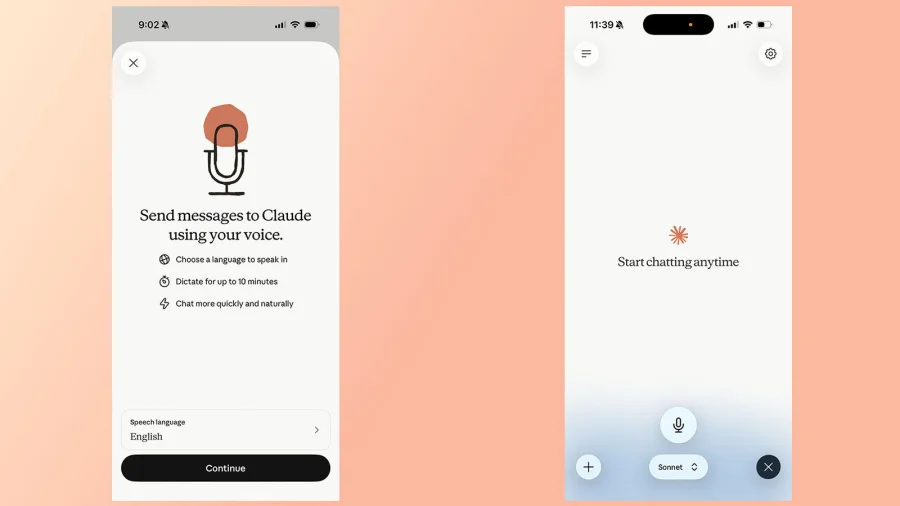

Claude, Anthropic's AI chatbot, offers a voice mode that lets you talk to it instead of typing. The feature is designed to make conversations with the AI feel more natural and hands-free. If you want to use it, here is what you need to know.
What Is Claude's Voice Mode and How Does It Work
Voice mode is a feature within Claude that allows users to speak their questions and commands rather than typing them into the chat box. It works by capturing your speech, converting it into text, and then having Claude generate a spoken response back to you. This makes the interaction feel closer to talking with a real person.
To use it, you simply activate the voice option in the Claude interface and start speaking. The chatbot processes your words and replies audibly, creating a back-and-forth conversation without the need for a keyboard.
What Users Report About the Voice Mode Experience
Early feedback from users on platforms like Reddit shows that the experience is not always smooth. One user on the ClaudeAI subreddit described the feature as "glitchy" and noted that it sometimes does not respond audibly even though the AI has generated a response in the background.
According to a Reddit user's experience, there is a noticeable delay before the voice responds. The user explained that when they exit the voice mode, they can see that Claude actually produced a reply, but the audio did not play during the conversation.
"I have found it to be glitchy and sometimes not respond to me even though, when I exit, I can see it generated a response. The delay before responding..." — Reddit user on r/ClaudeAI
Tips for Getting the Most Out of Voice Mode
If you decide to try Claude's voice mode, keep these points in mind based on what users have shared:
- Be patient with the response time — there can be a delay between your question and the spoken answer.
- If the audio does not play, check the chat window — the response may still have been generated in text form.
- Use it in a quiet environment to help the speech recognition work more accurately.
Our Take: Voice Mode Is a Work in Progress
To put it plainly, Claude's voice mode is a useful feature that still needs improvement. The idea of talking to your AI assistant instead of typing is appealing, and it works well when everything functions correctly. However, the glitches and delays reported by users show that the technology is not fully polished yet.
In our view, if you are willing to deal with occasional hiccups, voice mode is worth trying for hands-free use. But if you need reliable, quick responses, you may want to stick with text for now. As Anthropic continues to refine the feature, we expect the experience to get better over time.