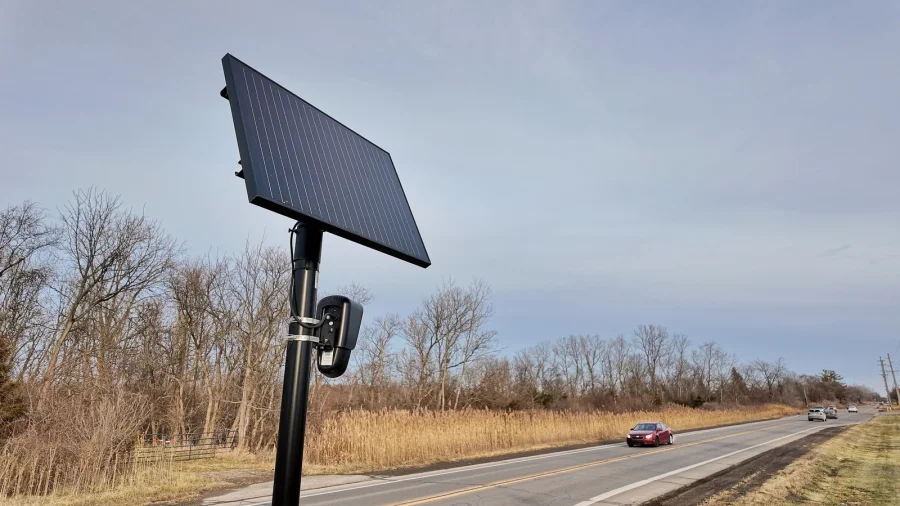

MapQuest will now show you where Flock cameras are in your neighborhood. The mapping app has added the locations of known outdoor surveillance cameras to its map, so users can see them while using the app.
The change means that when you open MapQuest, you can look at your area and see where these cameras are placed. Flock cameras are part of what is now visible on the map.
What MapQuest Users Can Now See
The update is simple to understand. MapQuest displays the locations of known outdoor surveillance cameras. This includes Flock cameras, which are a type of camera used outdoors.
For anyone who uses MapQuest to check their neighborhood, this adds a new layer of information to the map. Instead of only seeing roads, businesses, and landmarks, users can now also see where these cameras are located.
Why This Matters for Neighborhoods
Surveillance cameras have become more common in public spaces. Until now, people who wanted to know where cameras were placed had few easy ways to check. MapQuest's change gives users a direct way to see this information on a map they already use.
The feature covers known outdoor surveillance cameras. Flock cameras are specifically named as part of what will be shown. This means users can check whether cameras are near their home, their workplace, or along routes they travel often.
- MapQuest now shows locations of known outdoor surveillance cameras
- Flock cameras are included in the display
- The information appears inside the MapQuest app
- Users can view camera locations for their neighborhood
Our Take: A Useful Step for Public Awareness
In our view, this is a practical move. People deserve to know when and where they are being watched in public spaces. Putting camera locations on a map that millions already use makes that information easier to find.
To put it plainly, surveillance cameras are not going away. What matters is that the public has a way to see where they are. MapQuest showing Flock camera locations gives users a simple tool to check their own neighborhood.
Readers who care about privacy should take a look at the app and see what is mapped near them. Knowing where cameras are is the first step to having a real conversation about how much surveillance is acceptable in your area.