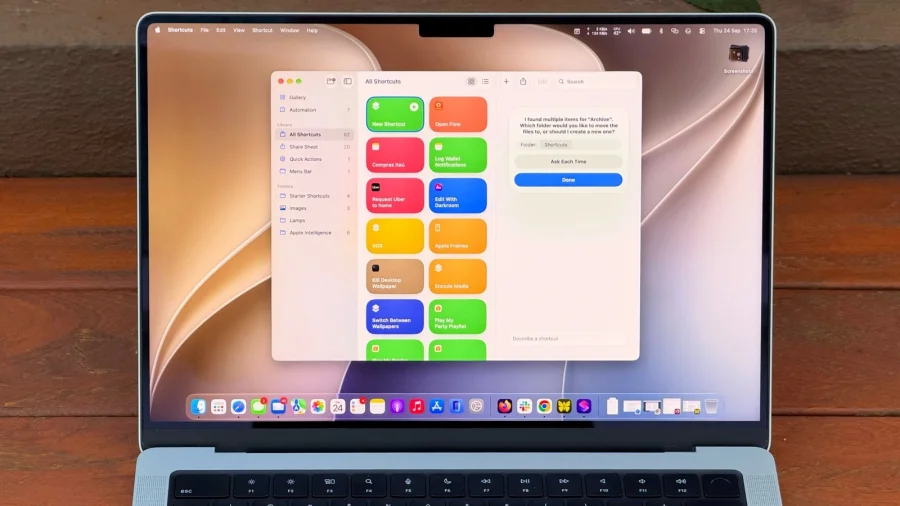

If you own a MacBook, there is a built-in app you may have overlooked: Shortcuts. It is a powerful tool that helps you automate tedious tasks. The best part is that you can now set up scripts using natural language, which means you do not need to be a programmer to get started.
What Is the Shortcuts App on Mac?
Shortcuts is an app that lives on your Mac. Its job is simple: it takes tasks you do over and over and turns them into one-click actions. Instead of repeating the same steps every day, you build a shortcut once and let the app do the work for you.
The app is designed to handle tedious tasks — the kind of small, boring jobs that eat up your time. Think of it as a personal assistant that never gets tired.
Why Natural Language Changes Everything
The biggest update for beginners is natural language support. In the past, building an automation meant learning how scripts and commands fit together. That was a barrier for most people.
Now you can set up scripts using natural language. You describe what you want in plain words, and the app helps turn that into a working shortcut. This removes the biggest hurdle that kept casual users away from automation.
How to Get Started
Getting started does not require any special setup. The app is already on your MacBook. Here is the simple path:
- Open the Shortcuts app on your MacBook.
- Think of one tedious task you repeat often.
- Use natural language to describe what you want the shortcut to do.
- Set up the script and save it.
- Run it whenever you need it — no repeated manual work.
The key is to start small. Pick one annoying task, automate it, and see how it feels. Once you get comfortable, you can build more shortcuts.
Our Take: Why This Matters for Regular MacBook Users
In our view, Shortcuts is one of the most underused tools on the Mac. Most people ignore it because automation sounds technical. But the move to natural language setup changes that completely.
To put it plainly, you no longer need to think like a coder to save time like one. If you use a MacBook every day, this is worth ten minutes of your time. Start with one task. Automate it. Then decide if you want more.
The app will not do everything for you, and complex workflows still take some thought. But for everyday tedious tasks, it is a genuine time-saver that is already sitting on your machine, waiting to be used.