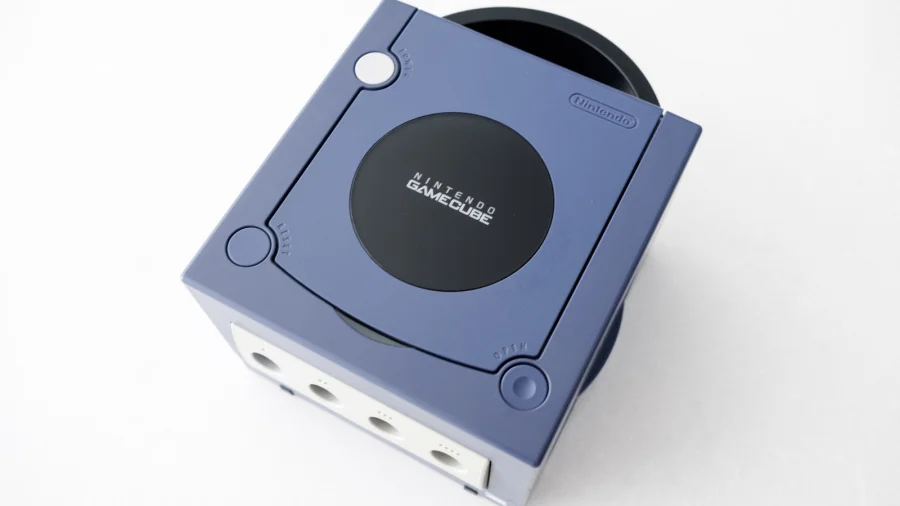

If you have an old Nintendo GameCube gathering dust, you might think it's useless with a modern TV. That's not true. You can connect your retro console to a new screen with just one simple adapter, and it takes only a few minutes.
Modern TVs often lack the old composite or component inputs that the GameCube uses. But a single adapter bridges that gap. Whether you want to play Mario Kart competitively or just revisit classic games, the solution is straightforward and affordable.
What You Need to Connect a GameCube to a Modern TV
The most common method involves using an AV-to-HDMI converter. The GameCube's AV cable plugs into the converter, and the converter plugs into your TV's HDMI port. According to a YouTube setup guide, you can also use a SCART converter depending on your region's TV standards. This setup works with any modern smart TV that has an HDMI input.
For better picture quality, a dedicated GameCube HDMI adapter is a stronger option. These adapters plug directly into the console's digital AV port and output a clean HDMI signal. As explained in Electron Shepherd's GameCube HDMI adapter guide, these devices are designed specifically for the console, so they deliver the best possible image without extra cables or converters.
How to Boost GameCube Resolution on an HDTV
Some adapters do more than just connect the console — they can improve the picture. Upscalers like the RetroTink 5X take the GameCube's original signal and boost it to a higher resolution, making games look sharper on large modern screens. According to a demonstration using the RetroTink 5X, pairing this device with quality cables from NintendoGameCube gives you a noticeably cleaner image than a basic converter.
If you are competitive about games like Mario Kart, this matters. A better picture means less blur and more detail, which can help you react faster. The difference is clear when you compare a standard AV connection to an upscaled HDMI output.
Step-by-Step: Setting Up Your GameCube on a New TV
- Plug your GameCube's AV cable into the console's AV out port.
- Connect the other end of the AV cable to the AV-to-HDMI converter.
- Plug the converter into an available HDMI port on your TV.
- Turn on the TV and select the correct HDMI input channel.
- Power on the GameCube — the picture should appear immediately.
For a dedicated HDMI adapter, the process is even simpler. You just plug the adapter into the GameCube's digital port, connect an HDMI cable from the adapter to the TV, and you are ready to play. No extra power source is needed for most models.
"Did you know there are easy ways to connect a GameCube to a HDTV and even boost the resolution of games?" — Game Over Video Games on Facebook
Our Take: A Single Adapter Is All You Need
To put it plainly, the idea that a GameCube is obsolete on modern TVs is wrong. A basic AV-to-HDMI converter costs little and works instantly. If you care about picture quality, a dedicated HDMI adapter or an upscaler is worth the extra money.
In our view, the best choice depends on your needs. If you just want to play casually, the cheap converter is fine. If you are serious about retro gaming, invest in a quality adapter. Either way, you do not need to buy a new console or a special TV. One small device brings your old games back to life.
Before you buy, check what ports your TV has and what cables your GameCube uses. Most setups are plug-and-play, so you can be gaming within minutes of unboxing the adapter.